






Dehaze Photo Online
Dehaze your photos easily with YouCam's AI Photo Enhancer. Instantly remove foggy effects online for clearer, vibrant images.





Remove Haze & Foggy from Photo
Dehaze photo tool can help you bring back the clarity and ged rid of foggy, restore the sharpness and vibrancy of your pictures.
Top 3 Highlights of Dehaze Photo Online
- Seamless Solution: Remove unwanted haze and fog from your images.
- Automatic Detail Restoration
- Color Correction : You can transform any foggy photo and bring you a vibrant masterpiece.
One-Click Dehazing Made Easy
- User-friendly Interface: Vibrant masterpiece in just a few clicks.
- Eliminating Haze & Enhancing Clarity : identifying and eliminating haze while preserving essential details.
- Utilizing advanced AI detection technology : Combine with AI ensures that your photos not only look clearer but also have a professional quality that stands out.
Contrast Upgrade Made Simple
- Dehazes your photos but also enhances overall image quality through Auto Contrast Enhancement.
- Automatically adjusts the contrast levels in your image, bringing out hidden details and improving visual appeal.
- Ensure your photo has a greater depth, making them look more vibrant and striking.
- Make you without any manual adjustments.
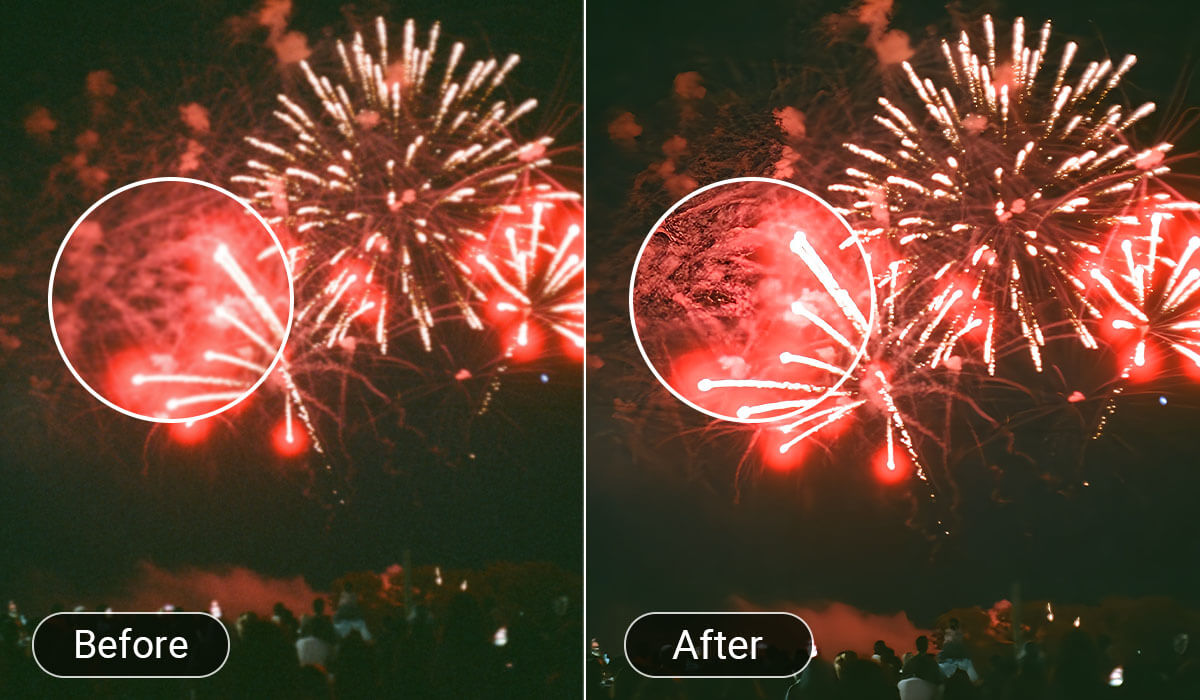
Instant Detail Rescue
- Recover and sharpen those elements with foggy in the photo.
- Expect sharper lines, more defined textures, and an overall enhancement of the image quality.
- Allowing your images to truly capture the moment.
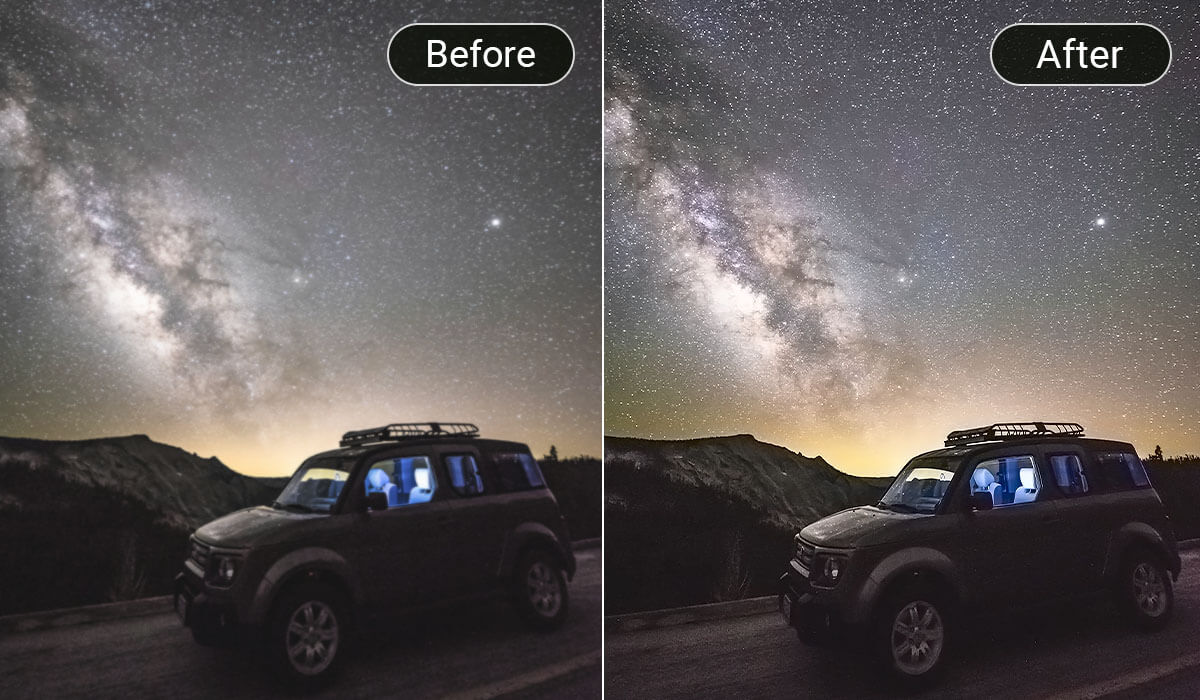
Vibrant Sky Enhancement
- automatically adjust the saturation and tones of the sky to bring out richer, and more beautiful colors.
- ensure the shot with a stunning, vibrant color. vibrant sky.
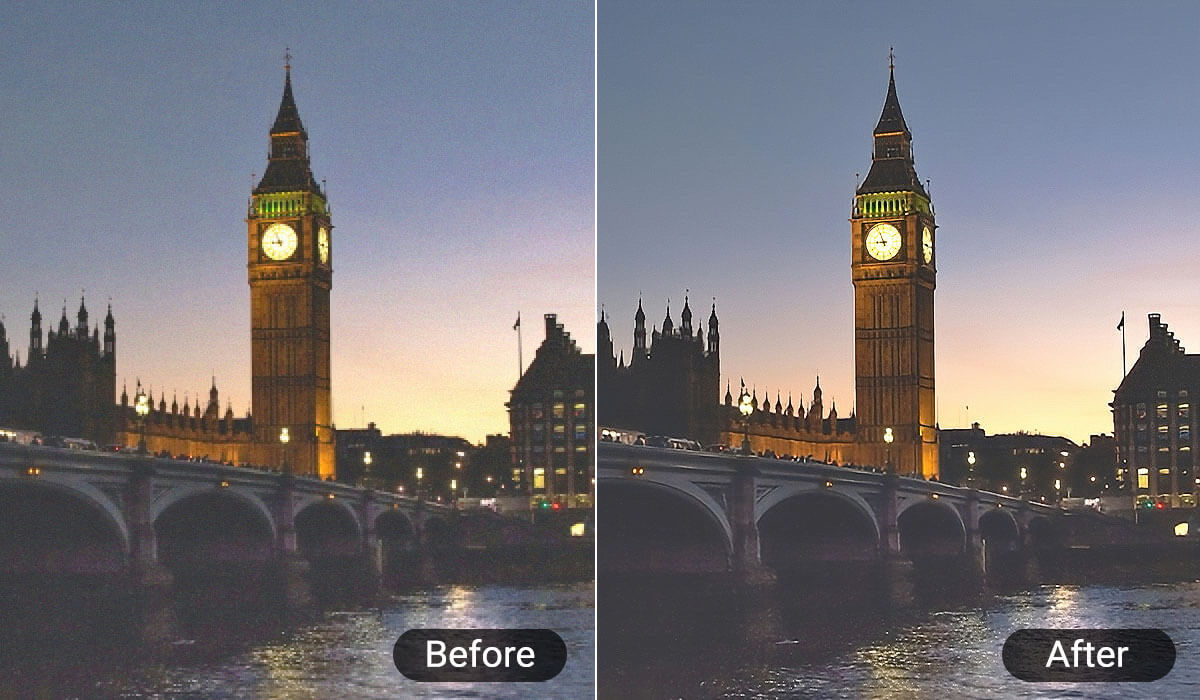
How to Dehaze a Photo
Follow these simple steps to dehaze your photo:

Step 1: Go to the AI Photo Enhancer Tool
Visit our AI Photo Enhancer Tool to start the dehazing process. Upload the photo you want to enhance by selecting it from your device.
This can be any image affected by haze, fog, or poor lighting conditions.


Step 2: AI Auto Dehaze Photo
Once your photo is uploaded, the AI will automatically begin dehazing it. You can preview the results in real time, allowing you to see the improvement and decide if any further adjustments are needed.

Step 4: Save and Download
Once you’re satisfied with the enhancements, save your changes and download the final image to your device. Your dehazed and beautifully enhanced photo is now ready to be shared!
Dehaze Photo FAQs
How to Restore Foggy Pictures Without Photoshop?
To restore foggy pictures without Photoshop, you can use YouCam Online Editor's AI Photo Enhancer. This online tool allows you to easily dehaze photos by simply uploading your image. With just a click, the AI automatically removes haze, enhancing clarity and restoring details, providing professional results without the need for complex software.
How to Fix Cloudy Photos on iPhone?
To fix cloudy photos on your iPhone, utilize YouCam Online Editor's AI Photo Enhancer. Upload your cloudy image to the tool, and it will automatically edit foggy effects online to enhance clarity. This tool uses AI technology to analyze your photo and remove unwanted haze, resulting in sharper, more vibrant images that beautifully capture your moments.
How to Remove Fog from a Pic?
To remove fog from a pic, use YouCam Online Editor's AI Photo Enhancer. Simply upload your photo to the platform, and the tool will automatically dehaze photo, effectively eliminating the haze. This process enhances details and colors, leaving you with a clear and stunning image that stands out.
How Do You Use the Dehaze Tool?
Using YouCam Online Editor's AI Photo Enhancer is straightforward. First, visit the online platform and upload the photo you want to enhance. The AI will automatically edit foggy effects online by removing haze and enhancing clarity. You can preview the results, and once satisfied, save and download your enhanced image. It’s a quick and effective way to improve the quality of your photos without any complex software.