






Add Easter Bunny to Your Photo
Easily add an Easter Bunny to your photo with AI. Customize your scene with prompts like flowers, baskets, bunny ears, or full Easter backgrounds—fast, simple, and ready to share.
Start Editing NowHow to Add Easter Bunny to Photo

Upload your Image
Upload the image you want to transform. (Supported formats include JPG, JPEG, PNG, TIFF, and GIF.)

Enter Text or Image
Enter the text prompt of your image idea. Upload a reference image for Al to better understand your vision.
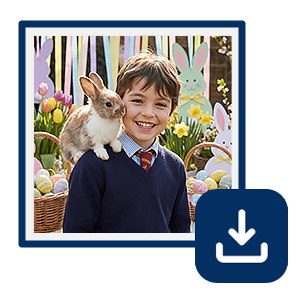
Hit Generate and Save
Click the “Generate” button to begin the Al image creation process.
Create Festive Easter Posts
Turn your ordinary photos into fun Easter-themed visuals and boost the holiday vibe! Best for influencers, content creators, and brands running Easter campaigns.
Make Cute Family & Kids Photos
The Easter Bunny adds a magical touch to family memories and kids’ photos. Best for parents, family photography, and holiday memories, and perfect for photo albums or digital keepsakes!
Design Personalized Easter Cards & Invitations
Add a playful, creative vibe without design skills and make unique Easter greeting cards! Best for DIY projects, holiday cards, and event planning.
Pro Tips: Make your Easter Photos Alive
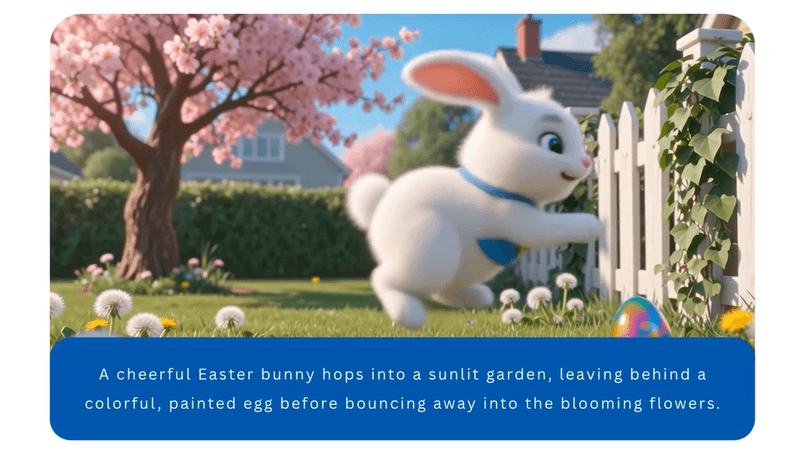
With YouCam Online Editor’s Image to Video, you can now animate your photos for Easter!
Add Easter Bunny to Photo FAQs
What is the best add easter bunny to photo app?
The best app depends on your device and editing needs.
For web users, YouCam Online Editor is a great option—you can upload your photo, enter a prompt like “add Easter bunny,” and generate results instantly without downloading anything.
For mobile users, YouCam Enhance is the best choice. It offers AI-powered tools to add Easter elements like bunnies and eggs while also enhancing your photo quality in one tap.
Both options make it easy to create fun, shareable Easter photos using simple AI prompts—no editing skills needed.
How can I add an Easter bunny to a photo?
You can add an Easter bunny to a photo using AI photo editing tools like YouCam Online Editor. Simply upload your image, enter a prompt like “add a cute Easter bunny with eggs,” and let the AI automatically generate and blend the bunny into your photo.
Can I add an Easter bunny to my photo for free?
Yes, many AI photo editors like YouCam Online Editor offer free features to add Easter elements to your photos. You can quickly create fun, shareable Easter images with bunnies, baskets, and spring backgrounds without needing advanced editing skills.

