






AI Garden Design: Visualize Your Dream Garden Online
Discover AI-powered outdoor design for your garden, balcony, or terrace! Visualize your design ideas and create realistic renderings—perfect for virtual staging of outdoor spaces. Sign up now for 5 free credits!


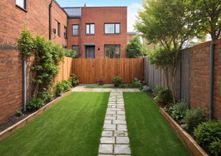
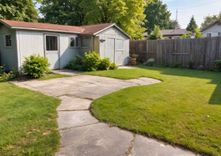

Transform Bare Corners into Blooming Oases
Your outdoor space needs a serious upgrade, or maybe you’ve got an empty corner that’s begging for life?
With the AI Replace tool, garden design becomes a creative playground.
Just highlight the area in your photo and describe your concept—the AI instantly shows you how your idea would look in your garden.
Your Dream Terrace, Just One Click Away
Your terrace or balcony feels uninviting and you're out of ideas?
Use AI garden design to turn your outdoor space into a true feel-good oasis.
The AI Replace tool is your personal visual playground, letting you swap or add garden furniture, flower beds, and pots with ease.
From a Simple Garden to a Pool Paradise
Dreaming of bigger changes? A pool? A completely new terrace?
Projects like these are major investments, and uncertainty is often the biggest obstacle.
With the AI Replace tool, you can reinvent entire areas of your outdoor space and visualize your boldest ideas—risk-free.
How to Design Your Garden Easily With AI Online for Free

Upload photo
Upload a photo of the area you want to redesign. It can be your entire garden, a single flower bed, or your balcony.

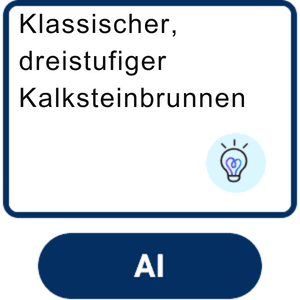
Mark the area & describe it
Use the brush to paint over the area you want to change (e.g., the empty lawn). Then enter in the text field what you’d like the AI to create there (e.g., 'fountain' or 'a flower bed with red roses').

View result & refine it
The AI generates a new version of your photo in seconds. Not quite perfect? Just tweak your text description until you get the result you want. Tap 'Apply' to save your changes—and don’t forget to download the final image!
AI Garden Design FAQ
How does AI garden design work?
Our tool uses generative AI. You give the AI a command by marking an area in your photo and providing a simple text description (e.g., 'a flower bed with red roses'). The AI understands your instruction and, based on millions of images, creates a new photorealistic image element that seamlessly blends into your photo.
Is there a free AI garden planner?
Yes, the YouCam Online Editor is a free AI garden planner. You can use the 'AI Replace' feature to test your garden ideas without registration and directly in your browser. There are no hidden costs to try out the basic visualization features.
Can the AI create specific types of plants or furniture?
Yes, and the more precise your description is, the better the result will be. Instead of just writing 'flowers', try something like 'red climbing roses on the wall' or 'modern lounge furniture made of rattan'. You can experiment with specific plants, materials, and styles to visualize your vision accurately.
Is the tool also suitable for small balconies or terraces?
Absolutely! The tool is perfect for discovering the potential of small spaces. You can visually test how 'hanging plant baskets', 'a small wooden table with chairs', or 'a vertical herb garden' would look on your balcony. It helps you make the most of limited space.
Do I need to install any software for this?
No. That’s the big advantage of the YouCam Online Editor. You don’t need to download or install any complicated software. The tool works directly in your web browser on any device – whether it’s a computer, tablet, or smartphone.

