


How to Create AI Logos: Step-by-step Tutorial
Follow these simple steps to create logos with texts from your imagination.
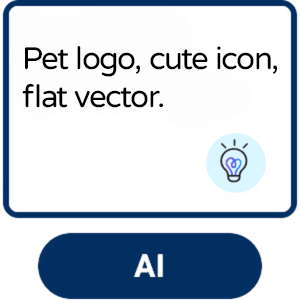
Enter text or Image Prompt
Select “Nano Banana Pro” as your AI Mode to understand your idea the best.

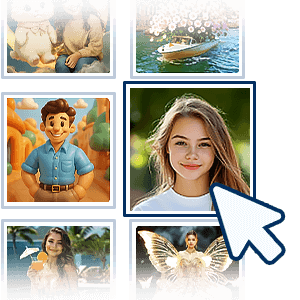
Choose a Style
Choose from the 70+ styles that match your preference.
Customize Your Image
Make futher adjusts to fine-tune your image.
Generate & Save
Hit the generate button and save your masterpiece and share it!
When could AI Logo Designs Help?
Small Business Branding
Create a professional logo for a small business quickly without design experience.
Try a prompt like “Minimal flat vector logo for a small business, clean sans-serif typography, blue and white color palette, modern professional style, no background” to start.
Personal Brand & Creator Logos
Design a unique personal brand logo for social media, YouTube, or online profiles using AI logo design tools.
Type a prompt like “Personal brand logo with initials monogram, modern minimalist style, neutral color palette, flat vector design, no background.”
Startup & Marketing Concepts
Generate multiple AI logo design ideas fast for startups or marketing campaigns.
Enter “Modern startup logo, abstract geometric icon, blue gradient colors, clean flat vector style, scalable design, no background” to startup ideas.
Struggling on how to start? Click on the idea below that matches your needs.
Logo Maker FAQs
Is there a free AI logo creator online?
Yes. The YouCam Online Editor AI Logo Creator offers a free way to get started with AI logo design. After signing up, users receive free credits that allow them to generate professional logo designs without any upfront cost. With advanced Text-to-Image technology powered by Nano Banana Pro, you can quickly create unique logos that match your brand identity while exploring the core features of this powerful AI logo creator.
How to create a brand logo with AI?
Creating a brand logo is simple with the YouCam Online Editor AI Logo Creator.
Start by entering a detailed description of your logo idea in the Text-to-Image prompt, including preferred colors, symbols, and styles. The AI then generates multiple logo concepts based on your input. You can refine the results using built-in editing tools and finalize your design before downloading it for use across your branding materials.
How can I make a logo for my small business for free?
Small business owners can create logos for free using the YouCam Online Editor AI Logo Creator. Upon signing up, you’ll receive free credits to experiment with AI logo design.
Simply describe your business and logo vision, choose from AI-generated styles, customize the design, and download your logo—making this AI logo creator an accessible solution for startups and entrepreneurs.
How to create a logo using AI online?
With the YouCam Online Editor AI Logo Creator, creating a logo using AI is fast and intuitive. Powered by Nano Banana Pro and Text-to-Image technology, the tool transforms your written ideas into high-quality logo designs. You can explore different visual styles, regenerate variations, and fine-tune details until the logo perfectly represents your brand—all through a seamless AI logo design experience.

