






AI Photo Enhancer App
Get 4K clarity and natural-looking portraits with the YouCam Enhance app. Download it for free now!
Download App for FreeEnhace Photos OnlineHow to Enhance Photo Quality with AI Photo Enhancer App

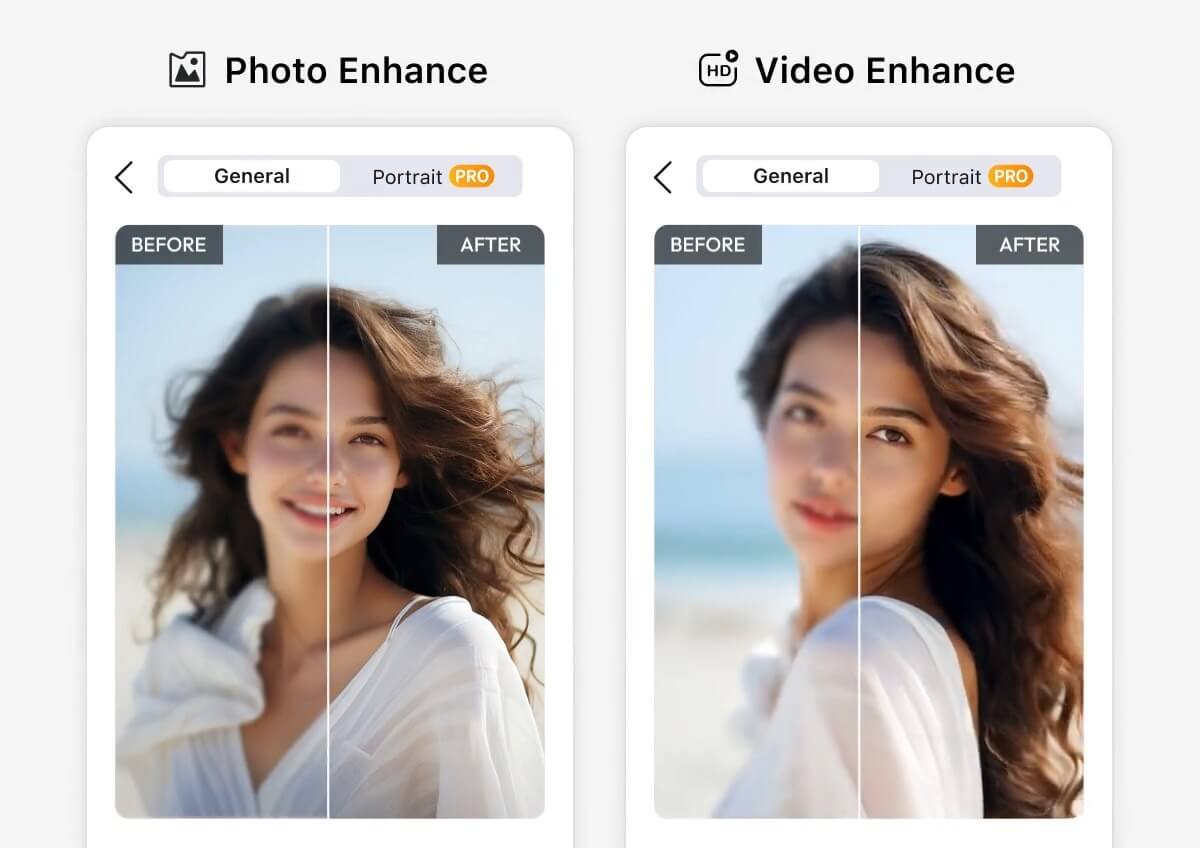
Import Your Image
Open the YouCam Enhance app and select the photo you want to improve. Navigate to the “AI Photo Enhance” tool to get started.


Apply AI Enhancement
Tap 'Enhance' to auto-optimize your photo. Our AI instantly adjusts lighting, sharpness, and facial details for a professional finish.

Review the Enhanced Photo
Once the enhancement is complete, review the changes. If you want to make further adjustments, you can use the “AI Lighting” and “AI Color Correction” features for additional enhancements.
Retouch Face & Portrait Photo Details With AI
- Refines Details: Enhances portrait details like hair, eyes, and skin up to 4K resolution.
- Advanced Algorithms: Unblur, color-fix, and enhance facial features professionally.
- Effortless Quality: Delivers high-quality photos without any editing skills needed.
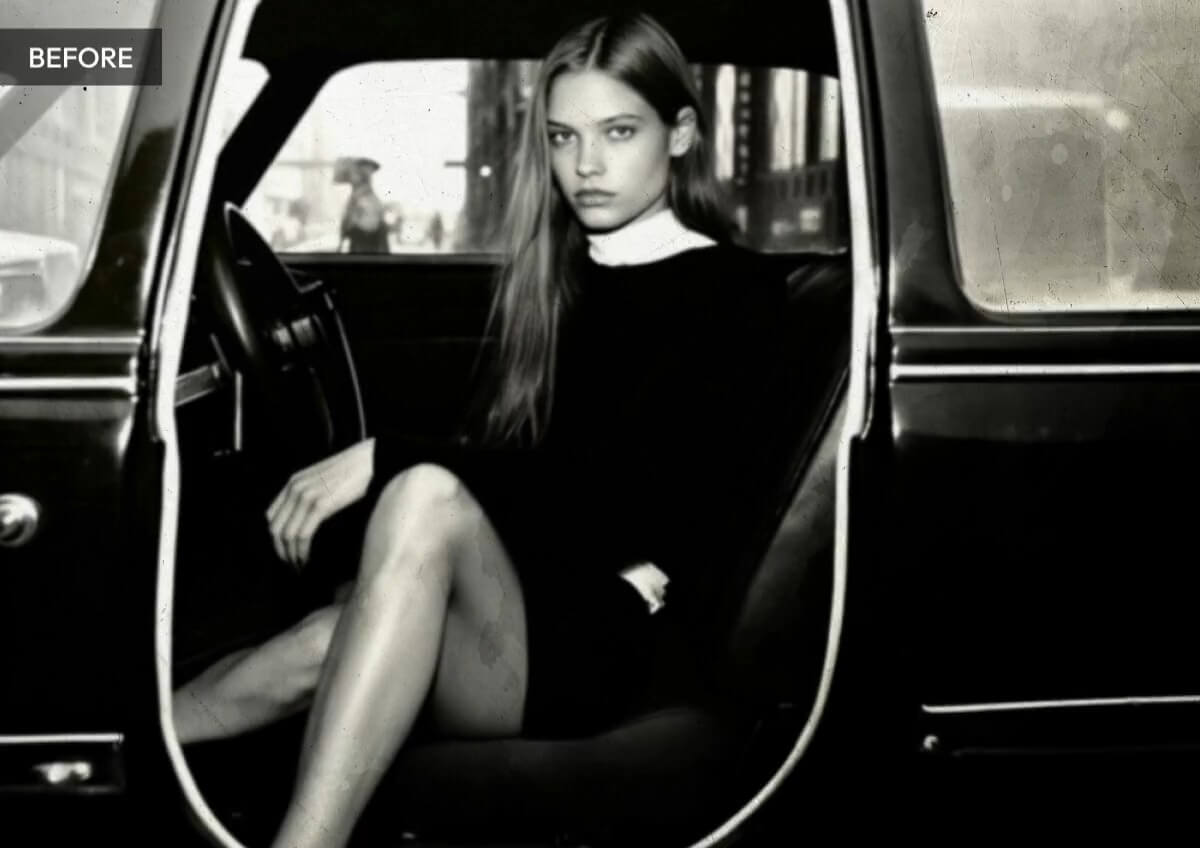
Old Photo Restoration: Enhance and Colorize Your Photos
Revitalize your old family photos with our advanced tools that enhance photo quality and bring new life to black and white images.
Use the "AI Colorize" feature to effortlessly add vibrant colors, making your old photos look as if they were taken yesterday.
Preserve and cherish your precious memories in stunning detail and color.
AI Lighting: Brighten & Relight Your Photos
Enhance your photos with AI Lighting, an effortless tool that instantly brightens and revitalizes images into vibrant, well-lit masterpieces. This advanced AI automatically enhances clarity and lets you adjust lighting levels for your desired look.
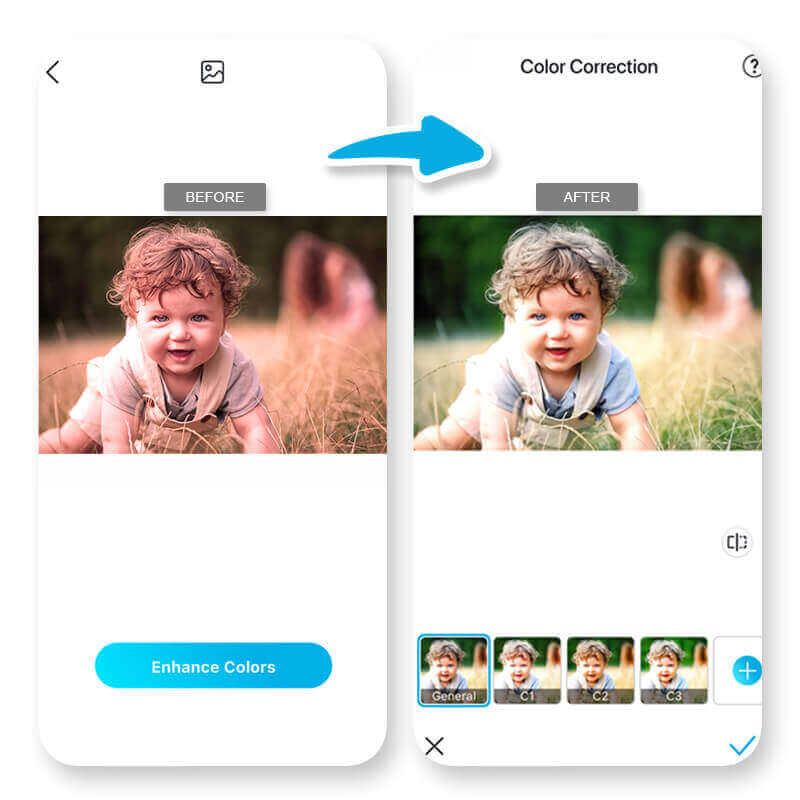
AI Color Correction: One-Tap Auto Color Fixing
Effortlessly perfect your photos with AI Color Correction, a tool that instantly enhances color accuracy, adjusts exposure, and removes unwanted color casts with a single click. This advanced AI intelligently balances highlights and shadows, bringing out the finest details and making your images stand out.
AI Photo Enhancer App FAQs
What is an AI Photo Enhancer App?
An AI Photo Enhancer App uses advanced artificial intelligence algorithms to automatically improve the quality of your photos by adjusting lighting, removing noise, enhancing colors, and restoring details.
How does the AI Photo Enhancer App work?
The app leverages advanced AI algorithms to analyze and enhance your photos. It can detect and correct imperfections, sharpen details, and adjust lighting and colors to make your photos look their best.
What features does the AI Photo Enhancer App offer?
Common features include:
- AI Photo Enhance: Improves overall photo quality.
- AI Photo Restoration: Repairs old or damaged photos.
- AI Photo Unblur: Sharpens blurry images.
- AI Photo Denoise: Reduces noise in grainy photos.
- AI Photo Upscale: Increases resolution without losing quality.
Can I use the AI Photo Enhancer App for free?
Many AI Photo Enhancer apps, including YouCam Enhance, offer free versions with basic features.
However, for advanced features and higher resolution enhancements, a subscription or one-time purchase may be required1.
What is the best AI photo enhancer app?
The best AI photo enhancer app combines powerful restoration tools with ease of use. YouCam Enhance stands out as a top choice because it uses advanced AI to automatically improve clarity, reduce noise, sharpen details, and restore old or low quality photos with professional results in seconds.
Can I get AI to enhance a photo?
Yes, you can use AI to enhance a photo. AI photo enhancers like YouCam Enhance analyze your image and automatically improve resolution, remove grain and blur, and restore faded details—all with just one tap. This makes it easy to get clearer, more vibrant photos without complex editing.
What is the AI app that makes photos look better?
An AI app that makes photos look better is one that uses machine learning to optimize image quality. YouCam Enhance is a popular choice because it instantly enhances photos with AI powered upscaling, noise reduction, and clarity boosting. It’s designed for users of all skill levels who want sharper, cleaner images with minimal effort.

