

Pregnancy Filter Online
Add a baby bump to a photo with AI Replace. Paint the belly area, describe the bump and compare the result with the original.



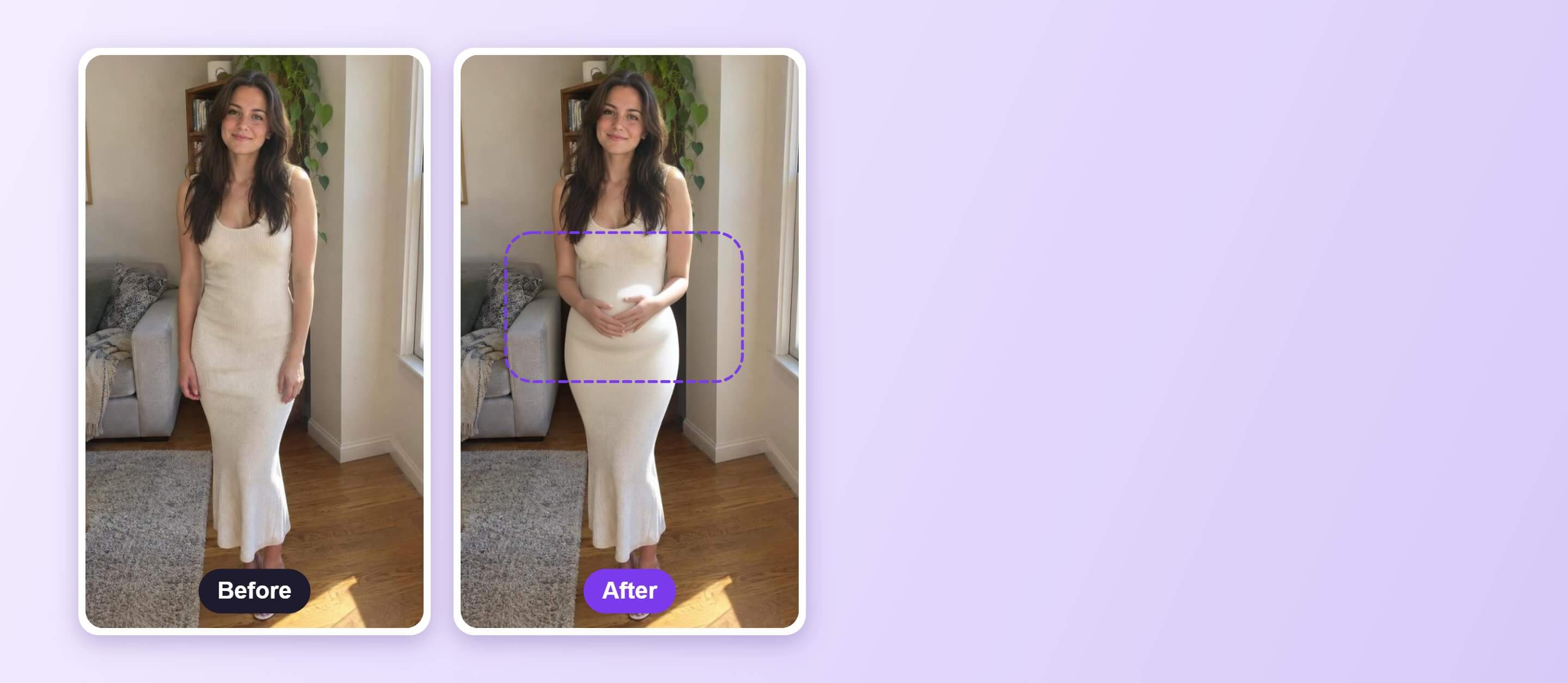
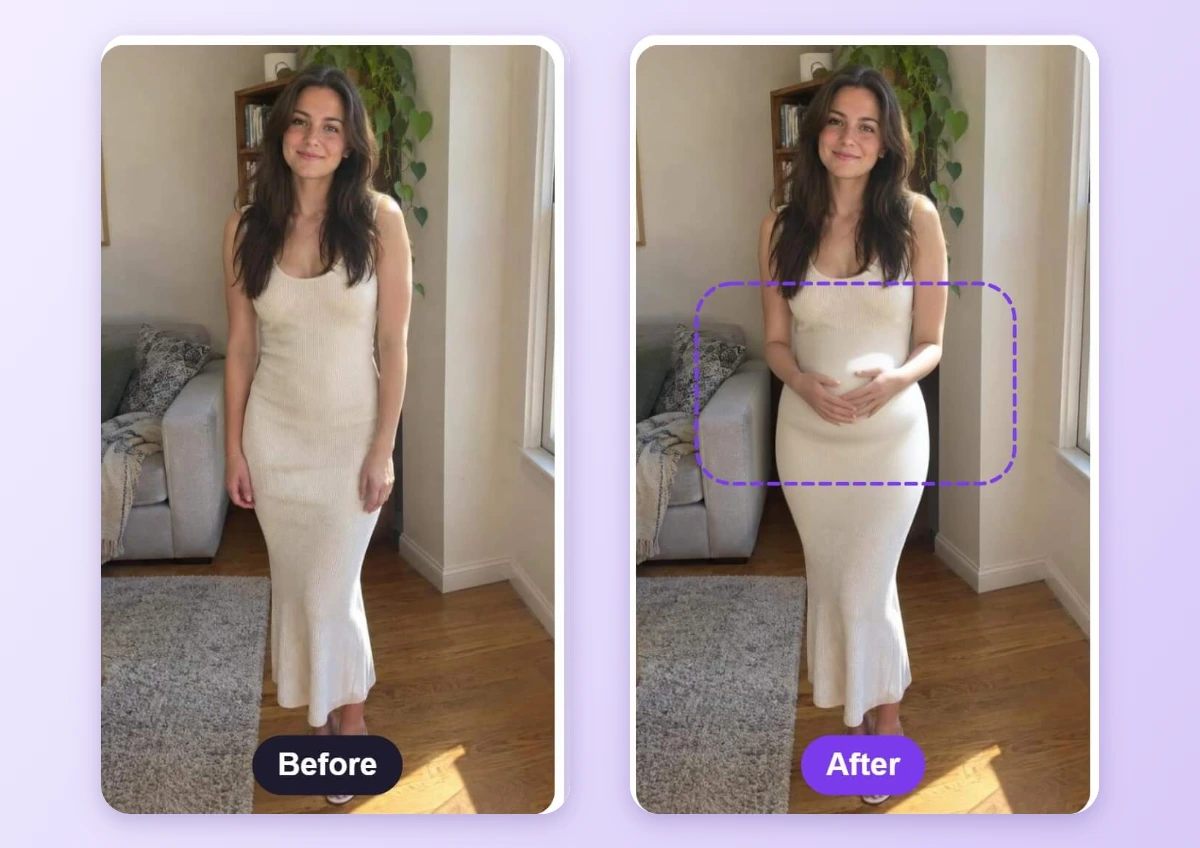
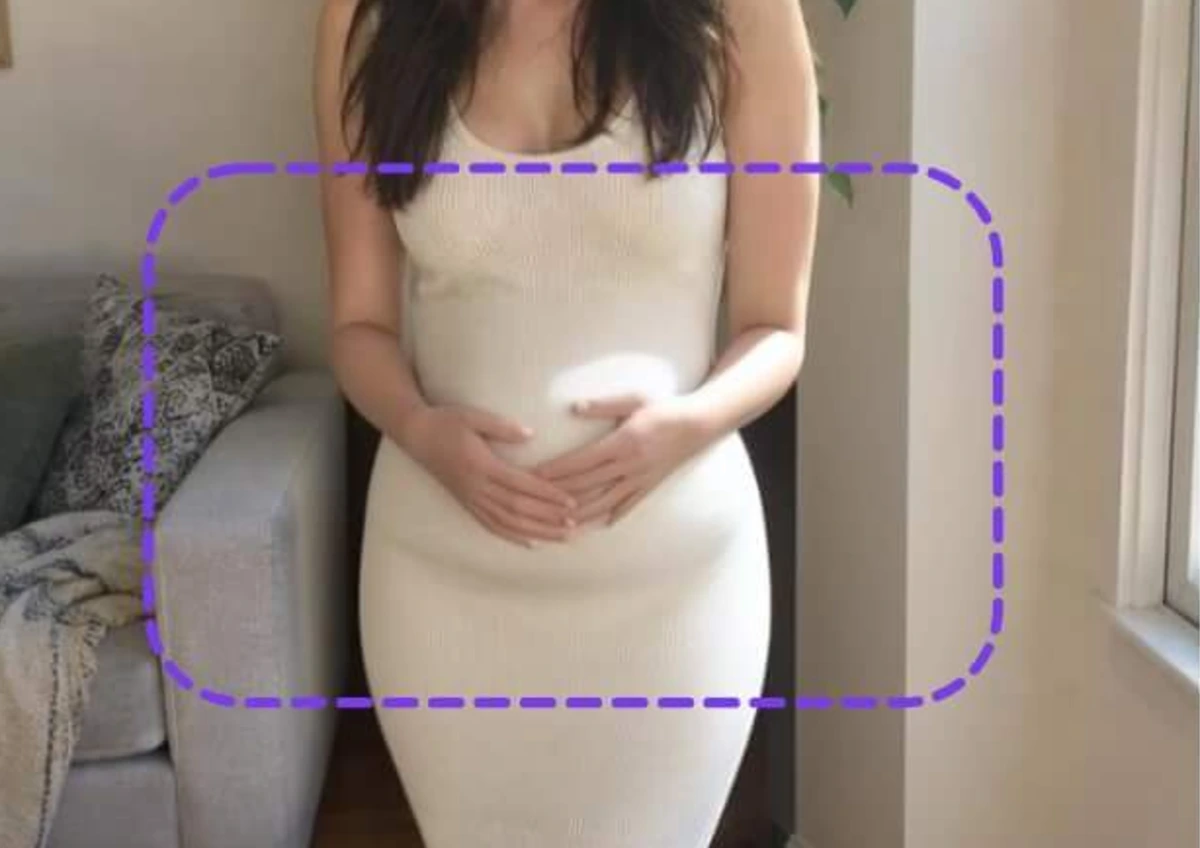
See the Baby Bump Before and After
The purple dashed guide marks the area that AI Replace changed. The bump is generated, so the dress and background may shift slightly. Compare the two photos side by side.
How to Use a Pregnancy Filter
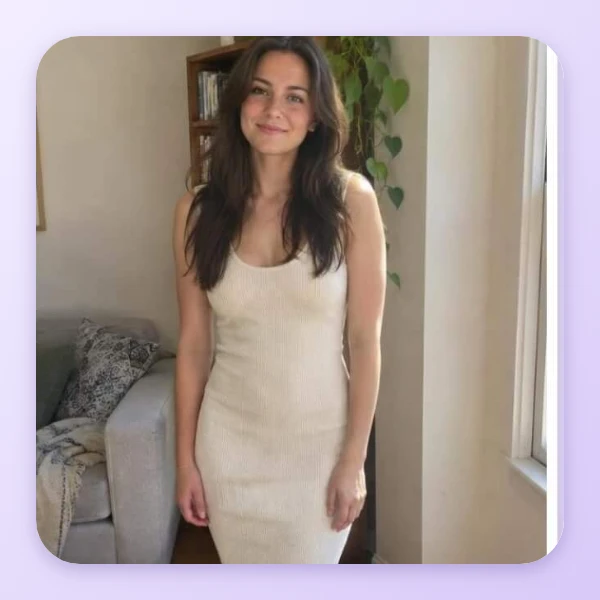
Upload a Full-Body Photo
Use a photo where the torso is clearly visible, standing straight in even light. A fitted outfit lets the bump blend in best.

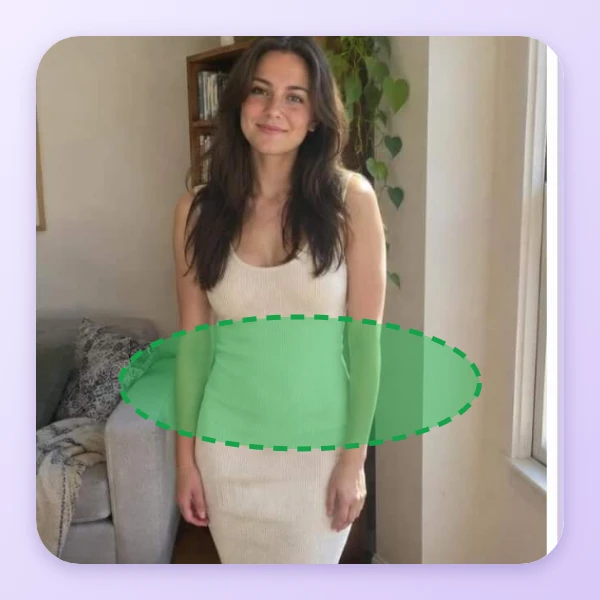
Paint the Belly Area
Open AI Replace and use the Select brush to paint over the belly. Extend the brush a little beyond the dress and body outline on both sides so the bump has room to stick out. Painting only inside the outline gives no visible bump.
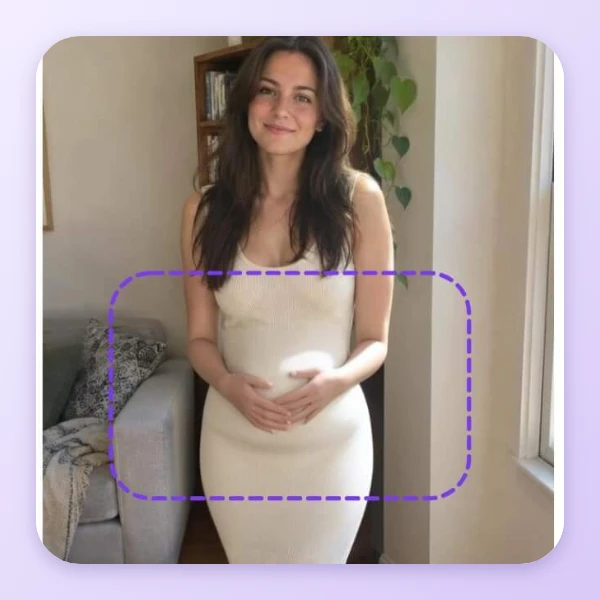
Describe, Generate and Apply
Type a clear prompt such as: a clearly visible large round baby bump, the dress stretches over the round belly. Click Generate. If the result is faint, paint a wider area or make the prompt stronger and generate again. Compare with the original, click Apply, then download.
A Fun Preview for Photos
AI Replace generates the bump inside the area you paint, and a fitted outfit gives it a clear shape to follow. Use it for photo jokes, announcement ideas or costume looks. It is not a medical image or scan.
FAQs: Pregnancy Filter
What is a pregnancy filter?
A pregnancy filter adds a baby bump to a photo. On this page it is done with AI Replace: you paint the belly area, describe the bump in words and the tool generates it.
What photo works best?
A photo with the torso clearly visible, standing straight in even light. A fitted outfit lets the bump blend in best.
Is it a real scan or medical image?
No. It is a generated edit of a photo and has nothing to do with a medical scan or an actual pregnancy.
Does it work with loose clothes?
It works best with fitted clothes. Baggy outfits and crossed arms can make the bump look less natural.
How big a bump should I ask for?
Describe the size you want in the prompt, such as a small or a large round bump. Because the bump is generated, the dress and background may shift slightly, so compare the result with the original before you apply it.
How do I save the edited photo?
After you compare the result with the original, click Apply and download the photo from the editor.

