






Remove Red Eye from Photo Online
Remove red eyes from your pictures instantly with our free online red eye remover. Whether it's a pet photo or a party shot, our tool makes it easy to restore natural-looking eyes. Discover the best online red eye removal generator and learn how to fix red eye in photos online in just a few clicks.


5 Highlights of the Best Red Eye Remover Tool
- Free and easy to use – No sign-up needed
- No editing skills required – AI-powered correction
- Works with pets, selfies, and flash photos
- Instant processing – Fix red eyes in seconds
- Perfect for social media and print photos
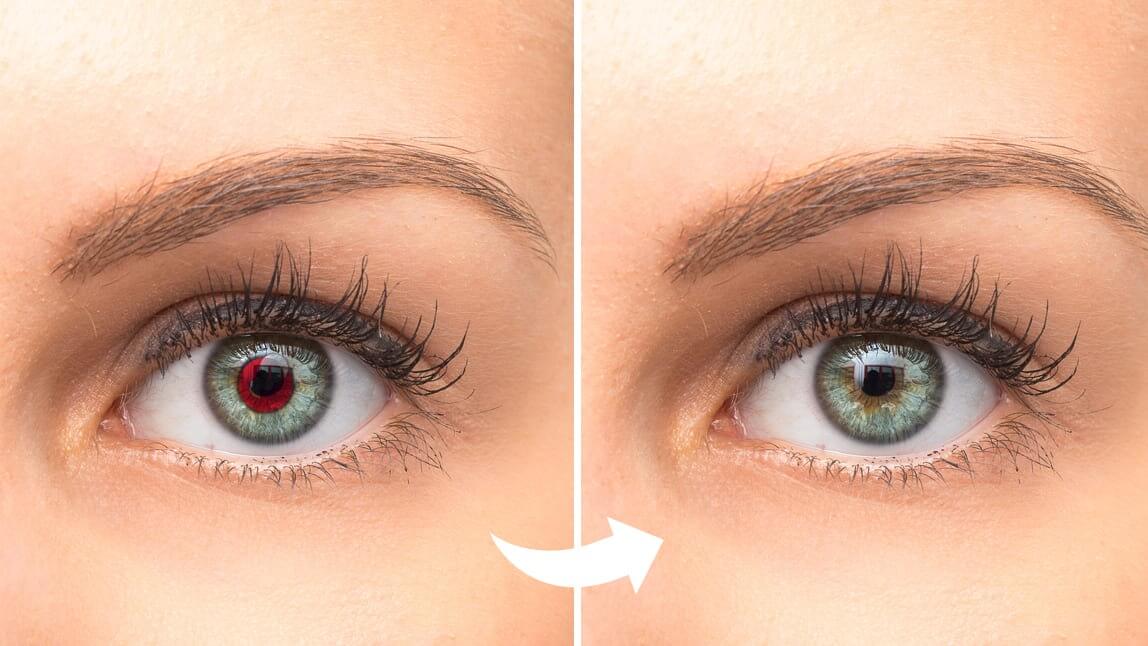
How to Remove Red Eye from a Photo Online

Upload Your Photo
Start by clicking the “try for free” button or drag and drop the image files to directly upload the photo from which you wish to remove objects. Supported formats: JPG, JPEG, PNG, TIFF, and GIF.


Select Areas to Remove
Use the object-removing brush to paint the object you'd like to remove from you photo with the mouse or finger. Adjust the brush size for greater precision when refining the painted area.

Remove and Save
Lastly, click the “Remove” button to erase the painted objects. Download the edited photo to save it on your device or on your mobile phone.
Remove Red Eye from Photo FAQs
Is the Red Eye Remover Tool free?
Yes! It’s completely free to use with no sign-up required.
What’s the best free tool to remove red eye from photos?
Our AI-powered remover is one of the best free options online.
How do I remove red eye from a pet photo?
Just upload the photo — our tool detects and fixes pet eye glow automatically.
Can I use it on my phone?
Absolutely! Our online red eye remover works perfectly on mobile devices.

