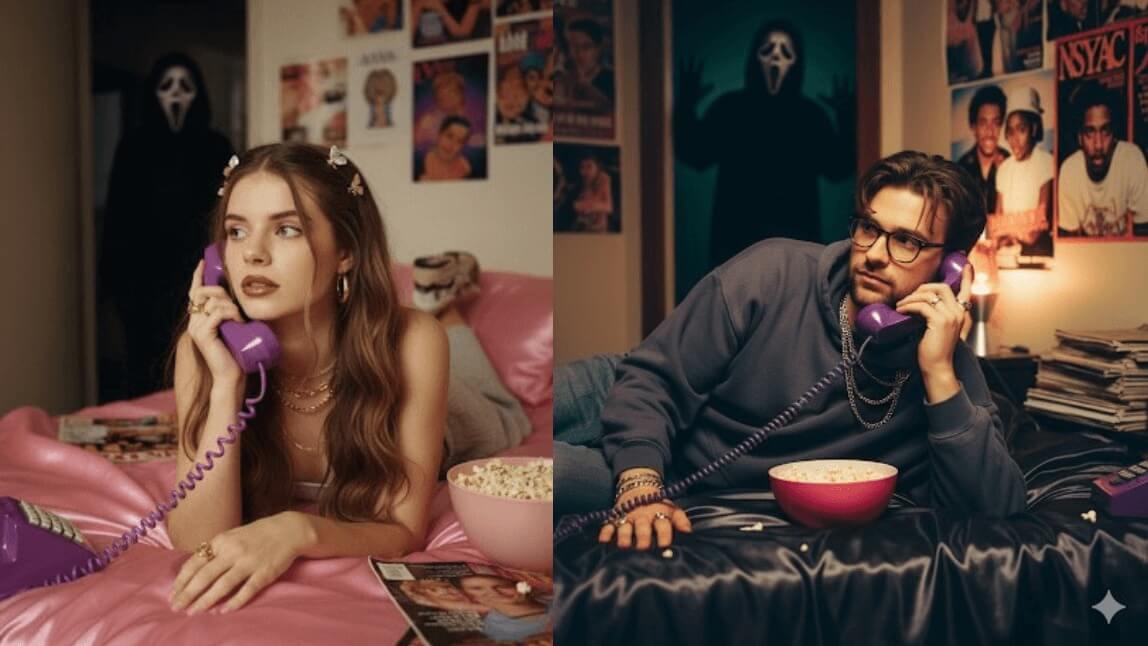
TikTok AI Ghostface Trend: How to Add Scream Filter to Photos
What is the TikTok AI Ghostface Trend? (And Why It's Going Viral)
How to Add Ghostface to Your Photo Using YouCam AI Ghostface Generator
Bonus: Generate Ghostface Images From Text with YouCam Perfect AI Agent
Bonus: Easily Create Your Ghostface Video From Text
Final Thoughts
Frequently Asked Questions (FAQ)
⚡ Quick Guide: How to Get the Ghostface AI Filter
Step 1. Go to YouCam AI Image Generator & Upload a Photo
Step 2. Choose an AI Model & Enter the Ghostface Prompt
Step 3. Click "Generate" to Start AI Ghostface Generation
Step 4. Animate Your Image into a Full Slasher Film Scene!
What is the Ghostface AI trend?
Which AI models can be used for the Ghostface trend?
Is it beginner-friendly to make a Ghostface edit?
Can I use my own selfie?
What is the best AI prompt for the Ghostface trend?
Can I animate these horror images?
Is this trend only popular during Halloween?
Can I use other horror movie villains in the prompts?
Why is Ghostface trending on TikTok again?
Where should I post my finished Ghostface edits?



No Internet Connection
Check your connection and then try again.
🔥Seedance 2.5 Out Now: Create Your Best Videos Yet✨
Home/TikTok AI Ghostface Trend: How to Add Scream Filter to Photos
TikTok AI Ghostface Trend: How to Add Scream Filter to Photos
 Author: Team YouCam
Jun 4, 2026 · 3 minutes read