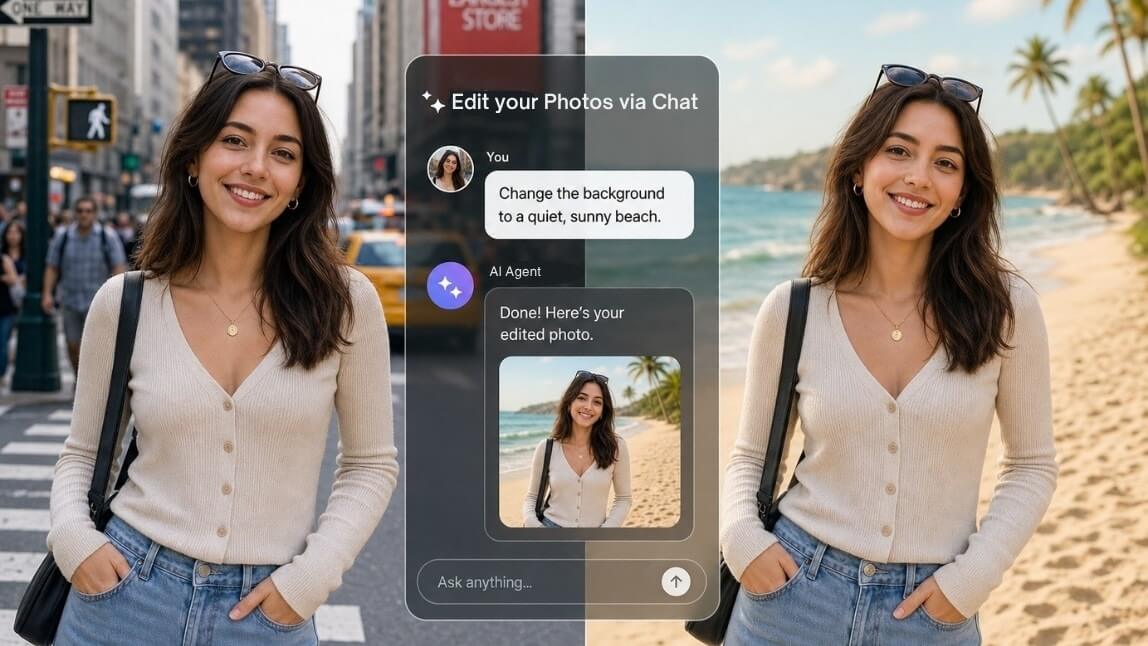
Edit Photos by Chatting: A Beginner’s Guide to YouCam AI Agent
The 4-Step Workflow: How the AI Agent Works
Pro Tips for Getting the Best Results
Frequently Asked Questions
Try It Yourself
Step 1: Upload Your Starting Photo
Step 2: Describe Your Edit in Plain Language
Step 3: Refine with Iterative Chats
Step 4: Save & Export
1. Start with a Sharp, Well-Lit Reference Photo
2. Guide the AI Step-by-Step
3. Keep Your Language Natural but Specific
4. Leverage the Memory of the Chat
Do I need any photo editing or graphic design experience to use the YouCam AI Agent?
Can the AI edit only specific parts of my photo without changing the rest?
What should I do if the AI doesn't get my edit right on the first try?
What image formats are supported?
No Internet Connection
Check your connection and then try again.
🔥Create a Halloween Video with the latest Kling-V4 model!✨
Home
/
Edit Photos by Chatting: A Beginner’s Guide to YouCam AI Agent
Edit Photos by Chatting: A Beginner’s Guide to YouCam AI Agent
Author:
Angie Ng
Jul 30, 2026 · 3 minutes read



 Author: