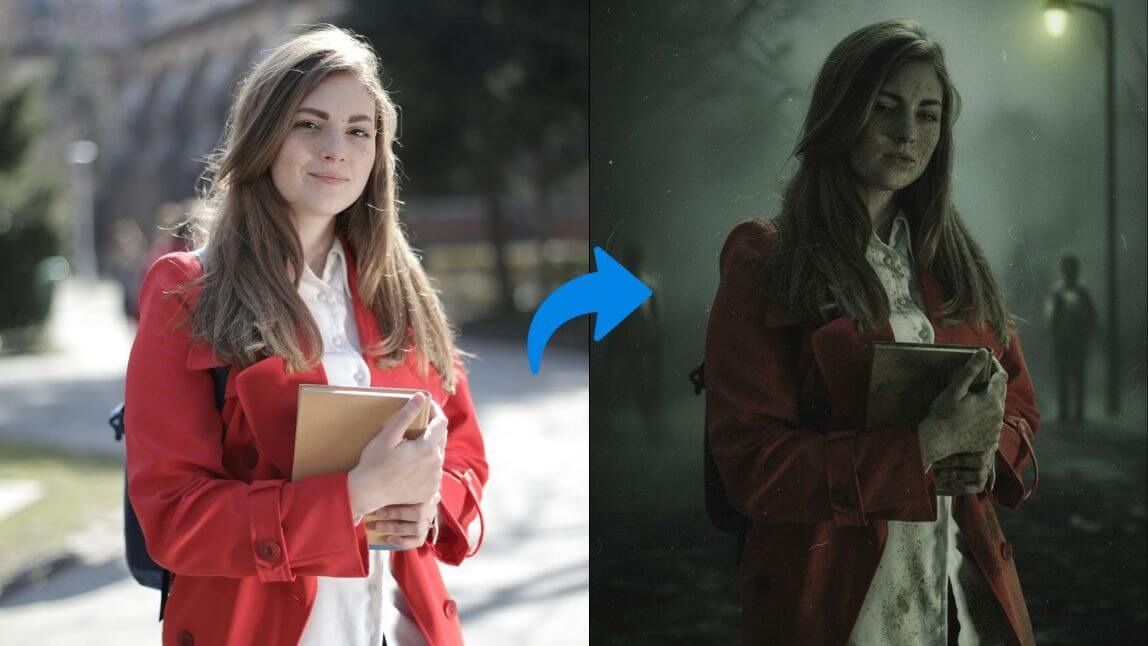
Silent Hill f Filter: One Click Turn Your Photo Into Silent Hill Style
What Is Silent Hill f?
How to Turn Your Photo Into Silent Hill Style With AI Silent Hill Filter
Start Joining the Silent Hill f Trend!
Step 1. Go to YouCam AI Image Generator
Step 2. Choose AI Model and Upload Your Photo
Step 3. Start Generating Images
Step 4. Further Turn Into Videos
No Internet Connection
Check your connection and then try again.
🔥Create a Halloween Video with the latest Kling-V4 model!✨
Home
/
AI Portrait
/
Silent Hill f Filter: One Click Turn Your Photo Into Silent Hill Style
Silent Hill f Filter: One Click Turn Your Photo Into Silent Hill Style
Author:
Eric Tang
Sep 24, 2025 · 3 minutes read



 Author: