






Say Goodbye to Glare with AI-Powered Online Photo Editor
Effortlessly remove unwanted glare and enhance your photos to perfection – all online, with just a few clicks!

Transform Your Photos: Remove Glare with Ease
- Instant Glare Removal: Effortlessly eliminate unwanted glare from your photos, leaving behind smooth and clear images.
- Advanced AI Technology: Harness the power of AI to intelligently detect and remove glare, while preserving the natural look of your subject.
- User-Friendly Interface: Enjoy a seamless editing experience with easy-to-use AI tools for glare removal, no professional skills required.
- Perfect for All Types of Photos: Whether it’s a portrait, landscape, or product shot, quickly remove glare for stunning, polished images.

How to Remove Glare in Photos
Achieve a flawless, glare-free look in just three simple steps with YouCam Online Editor! Whether you're dealing with harsh lighting or unwanted reflections, this easy-to-use tool helps you enhance your photos effortlessly. Say goodbye to distracting glare and hello to clear, stunning photos!

Upload Your Photo
Start by uploading the image you want to edit into the YouCam Online Editor.

Select the Glare Removal Tool
Click the “Object Removal” tool to brush over, detect, and remove glare spots from your photo. You can adjust the brush size for precise selection.

Download Your Glare-Free Image
Once the glare is removed, download your polished image, ready to share or use.
Top Highlights of the Best Glare Remover
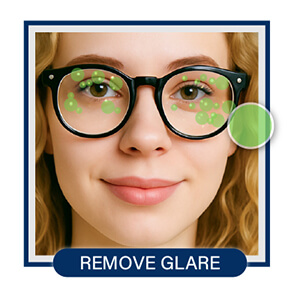
Remove Glare from Glasses
Glare on eyeglasses can obscure eyes and distract from an otherwise great photo. With the Object Removal tool in YouCam Online Editor, you can easily erase reflections and shine from lenses while preserving facial details. It’s ideal for selfies, portraits, and professional headshots.
Reduce Sun Glare
Strong sunlight can cause washed-out highlights or blinding glare in outdoor photos. With just a few clicks, you can remove these sun spots and bring back detail and color to affected areas. Perfect for landscapes, travel shots, or sunlit portraits.
Remove Reflections from Objects
Product photography often suffers from unwanted reflections on packaging, glass, or shiny materials. The Object Removal tool helps you erase these distracting glares for a clean, professional look. Ideal for e-commerce listings, social media posts, or marketing materials.

Remove Glare FAQs
Is there a way to reduce glare?
Yes, glare can be reduced both while taking a photo and during editing. Using diffused lighting or adjusting your camera angle helps prevent glare from showing up in the first place. But if it’s already in your photo, don’t worry—editing tools can easily fix it. The YouCam Online Editor is a top choice for naturally reducing glare in seconds, all without needing any editing experience.
Can I remove glare from glasses?
Absolutely! Glare on glasses is one of the most common photo frustrations, but it’s also one of the easiest to fix. With tools like the YouCam Online Editor, you can gently erase glare from lenses without making the photo look over-edited or fake. Just upload your image and use the smart object removal features to clear up your shot.
How to remove glare from a photo online?
To remove glare from a photo online, you’ll want a reliable, user-friendly editor that doesn’t require downloading software. The YouCam Online Editor fits that need perfectly—it uses smart technology to target and remove glare in just a few clicks. Upload your image, select the object removal tool, and you’re good to go!
Can glare be removed from a photo?
Yes, glare can definitely be removed from a photo using the right tools. Whether it’s light bouncing off a window, skin, or glasses, online editors can help restore balance and detail. The YouCam Online Editor is a fantastic option—it’s fast, intuitive, and designed to make glare disappear without compromising the quality of your photo.

