



AI Clip Maker Online
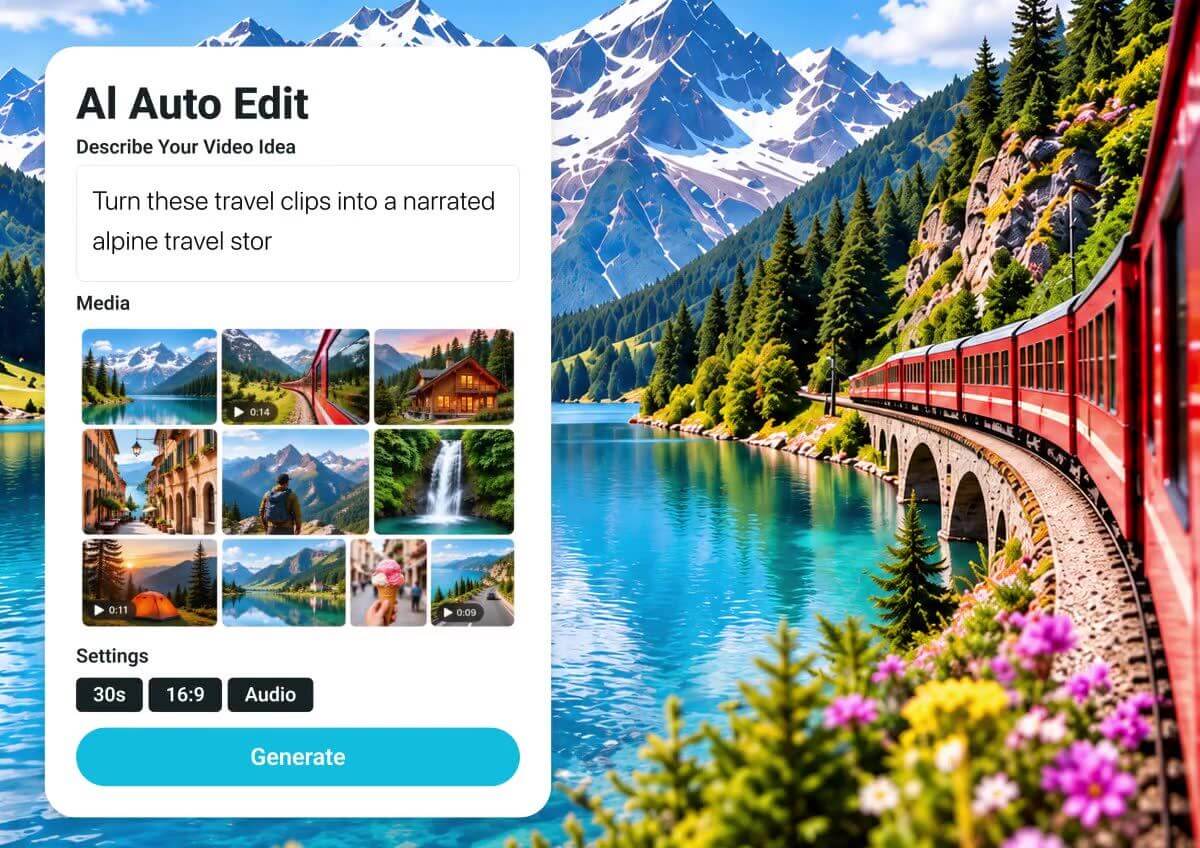
Turn your raw footage into a short, ready to share video with YouCam Online Editor. Upload your clips, describe the idea, and AI arranges and captions them for you.
What is an AI Clip Maker?
An AI clip maker turns raw footage into a short video without manual cutting. You upload your clips, describe the idea in a sentence, and YouCam's Auto Edit arranges the shots, adds music and subtitles, and can add a voice-over, so you get a short video ready to share.
- No Timeline Needed
Describe the story and AI cuts and orders your clips for you. - Made for Short Video
Choose 9:16 for Reels, Shorts and other vertical feeds, or pick 16:9 or 1:1. - Music, Captions and Voice-Over
Background music and subtitles are added for you, and a voice-over is optional.

How to Make a Short Video From Your Clips
Go from raw footage to a finished short in three steps.

Upload Your Clips
Import videos of up to 10 minutes each, or add photos. Auto Edit needs at least 30 seconds of material in total.

Describe the Idea
Write what the video should show and pick a style. Choose 9:16, 16:9 or 1:1 and a length from 30 seconds to 3 minutes.

Generate and Download
Let AI build the video, check the result, and download your short.

Turn Many Clips Into One Short
Import several clips and Auto Edit combines them into a single short video with a title, captions and music. Best for creators, travel clips and event footage.
Made for Vertical Video
Pick 9:16 for Reels, Shorts and other vertical feeds. Clips shot in another shape are fitted into the frame, so a horizontal clip still works in a vertical short.

Captions, Music and Voice-Over
Subtitles follow the language you choose, background music is selected automatically and can be adjusted afterwards, and you can add a voice-over in one of many voices. Refine the result with Edit Storyboard or open it in the AI Video Editor.
Frequently Asked Questions About the AI Clip Maker
What is an AI clip maker?
It is a tool that turns raw footage into a short video. You upload clips and describe the idea, and AI arranges the shots, adds music and subtitles, and can add a voice-over. YouCam Online Editor does this with Auto Edit.
How long can my source videos be?
Each video can be up to 10 minutes long. Auto Edit needs at least 30 seconds of material in total, and longer finished videos need more footage.
What length and format will the finished clip be?
You can create videos from 30 seconds up to 3 minutes in 9:16, 16:9 or 1:1.
Can I turn one long video into several clips?
Each generation builds one finished video from the footage you add. To make more clips, generate again with a different idea, or trim your source video first with the trim tool.
Does it add captions and music?
Yes. Subtitles follow the language you choose, and background music is selected automatically. You can turn the music off, and you can also add a voice-over.
Will AI pick the exact moments I want?
AI decides how to use your footage from your description, so results can vary. Preview the video, use Edit Storyboard to adjust it, or describe the idea more clearly and generate again.
Can I use photos as well as videos?
Yes. You can add photos or videos, and each photo counts as 5 seconds of material.

