



AI Slideshow Video Maker Online
Turn your photos into a finished slideshow video with YouCam Online Editor. Describe the story, pick a style, and AI adds motion, music, narration and subtitles.
What is an AI Slideshow Video Maker?
An AI slideshow video maker turns a set of photos into a finished video for you. Instead of placing every picture on a timeline, you describe the story and YouCam's Auto Edit arranges the photos, adds motion, music and subtitles, and can read the story aloud with a voice-over. It makes a video from your photos, not a presentation deck.
- Story From Your Photos
Describe the idea in a sentence and AI shapes the order and pacing of your photos. - Motion and Music Built In
Photo Motion adds a gentle pan and zoom, and background music is chosen for you. - Narration and Subtitles
Turn on a voice-over in your language and add matching subtitles.
How to Make a Slideshow With AI
Go from photos to a finished video in three steps.

Add Your Photos
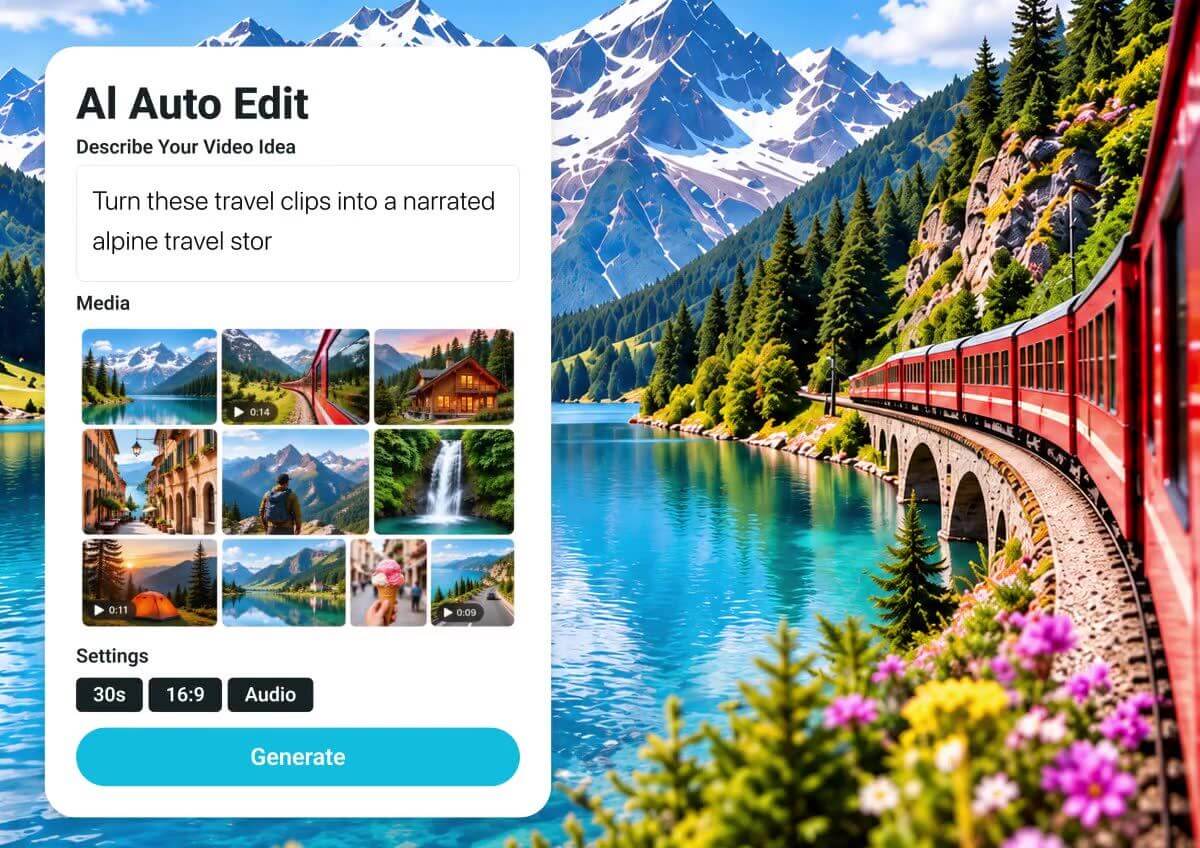
Import your photos. Each photo counts as 5 seconds and Auto Edit needs 30 seconds of material, so start with six photos.

Describe the Story
Write a short idea and pick a style such as Travel Memo or Daily Vlog. Choose the length, aspect ratio, music and voice-over.

Generate and Download
Let AI build the video, review the result, and download your finished slideshow.

Pick a Style That Fits the Moment
Choose a style such as Daily Vlog, Travel Memo, Must-Visit, Destination Guide or Baby Journal, so a trip, a day out or a family moment each gets its own tone. Best for travel photos, event recaps and family albums.
Motion, Music and Subtitles Included
Photo Motion adds a subtle pan and zoom so still photos feel alive. Background music is picked automatically and can be adjusted afterwards, and subtitles follow the language you choose. Use Edit Storyboard to adjust the result.

Narration for Every Slide
Turn on voice-over and choose a voice in English, Japanese, German, French, Portuguese, Spanish, Italian, Traditional Chinese, Simplified Chinese or Korean. Pick a length from 30 seconds to 3 minutes and a 9:16, 16:9 or 1:1 format for Reels, Shorts or a wide screen. Want to refine the finished video? Open it in the AI Video Editor.

Frequently Asked Questions About the AI Slideshow Video Maker
What is an AI slideshow video maker?
It is a tool that turns your photos into a finished video. You describe the story, and AI arranges the photos, adds motion, music and subtitles, and can add a voice-over. YouCam Online Editor does this with Auto Edit.
How many photos do I need?
Each photo counts as 5 seconds and Auto Edit needs at least 30 seconds of material, so start with six photos. A 1 minute slideshow needs about 12 photos.
Can I add music and a voice-over?
Yes. Background music is selected automatically and can be turned off, and you can turn the voice-over on or off and choose a voice.
Can I use videos as well as photos?
Yes. You can import photos or videos, with each video up to 10 minutes long.
What lengths and formats can I choose?
You can create videos from 30 seconds up to 3 minutes in 9:16, 16:9 or 1:1. Longer videos need more material.
Will the slideshow match my idea exactly?
AI chooses the order, titles and wording from your description, so results can vary. Preview the video, use Edit Storyboard to adjust it, or describe the story more clearly and generate again.
Can I keep editing after the slideshow is made?
Yes. You can adjust the storyboard, and you can open the finished video in the AI Video Editor to refine it.

