






Create Your Scene - YouCam Background Color Changer
Change the background of your photo with ease using the YouCam Background Color Changer. Our AI tool allows you to instantly change photo background color with any color or image you desire. Sign up now to get 5 free credits!





4 Highlights - YouCam Background Color Changer
- Instant AI Background Removal: Quickly and accurately removes the background with a single click.
- Customizable Backgrounds: Easily change the background to any solid color, a custom image, or a stylish blur effect.
- Create Transparent PNGs: Effortlessly make images with transparent backgrounds for graphic design projects and collages.
Product Photo Editing
Online sellers use the YouCam Color Background Changer to change background color of product photos to a plain, eye-catching color or make it transparent.
Explore more: PNG Background Remover, Free Transparent Background Maker
Graphic Design & Collages
Designers and hobbyists use the YouCam Color Background Changer to easily remove the background of an image to isolate a subject. The transparent image allowing them to color a background with any color or design they choose.
Explore more: Background Eraser, Signature Background Remover, AI Background Remover
Professional Headshots & Profile Pictures
People use the YouCam Color Background Changer to replace a cluttered or informal background with a clean, solid color like white to create a professional-looking headshot for their resume, LinkedIn profile, or company website.
Explore more: Logo Background Remover, Remove Background from Image product page
Social Media Content
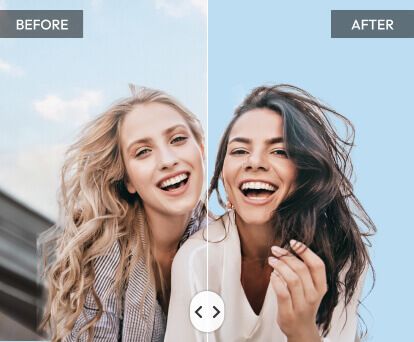
Content creators and influencers use the YouCam Color Background Changer to create visually cohesive and engaging content. They can match the background of their photos to a specific theme, season, or aesthetic, making their feed more appealing and on-brand.

How to Use Background Color Changer?
Refresh Your Photos with just a simple click!

Upload Your Photo
Drag and drop or select the image you want to edit. Supported formats include JPG,PNG,TIFF&GIF.

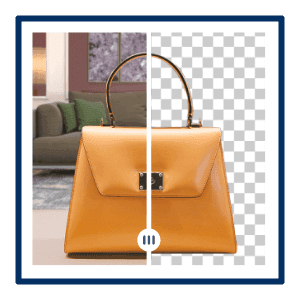
Check the Preview
Review the automatically generated preview to see the overall quality before downloading the final file.
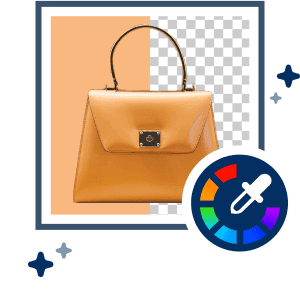
Let AI Work Its Magic
Choose variety of color,designs and click the "Apply" button. The AI will automatically and instantly change the background color.

Save Your Photo
Download your final image with its new background.

Background Color Changer FAQs
Why do people change backgrounds for professional photos?
Changing a background to a solid, neutral color (like white) creates a clean and professional look. This is especially useful for profile pictures, headshots, or product photography for e-commerce, as it helps the subject stand out without any distractions. The YouCam Background Color Changer is an excellent tool for this, as its AI can precisely isolate the subject and replace the background with a solid color.
Why do people change backgrounds for social media?
Social media creators often change the color of background to match their aesthetic, create a specific mood, or simply make their posts more engaging. By replacing a boring or busy background with a more visually appealing one, they can enhance the overall quality and consistency of their content. With the YouCam Background Color Changer, you can easily swap out the old background for a creative design or image.
How do you change a photo's background color?
You can use a web-based tool like the YouCam Background Color Changer. The process is simple: you upload your photo, and the AI will automatically remove the original background. Then, you can choose a new background color changer from a color palette, a different image, or a blur effect to create the desired look.
How can I make my background transparent?
Many online tools that change background colors also offer the option to make the background transparent. With the YouCam Background Color Changer, once the original background is removed, you can save the image as a PNG file, which will keep the background transparent. This is ideal for graphic designers or anyone who wants to use the subject of the photo in a different project.

