






Batch Enhance Photos
Quickly improve the quality of all your photos with batch photo enhancer. Perfect for saving time while making every image look its best.





Enhance Multiple Photos Instantly
Editing each photo one by one can take hours. With YouCam Online Editor, you can batch enhance photos online in a few clicks. Our AI automatically sharpens details, balances color, and improves clarity across every image.
Restore Old or Low-Quality Images
Old photos, scanned pictures, and low-resolution images often appear dull. Enhance multiple photos at once to improve facial details, textures, and overall clarity, preserving your memories while making them look sharper.
Enhance Event or Travel Photos
Got hundreds of vacation photos or event shots? Batch enhance photos to make every image pop with sharper details, brighter colors, and a professional-quality finish. Quickly turn your memories into ready-to-share content.
Make Screenshots and Documents Clearer
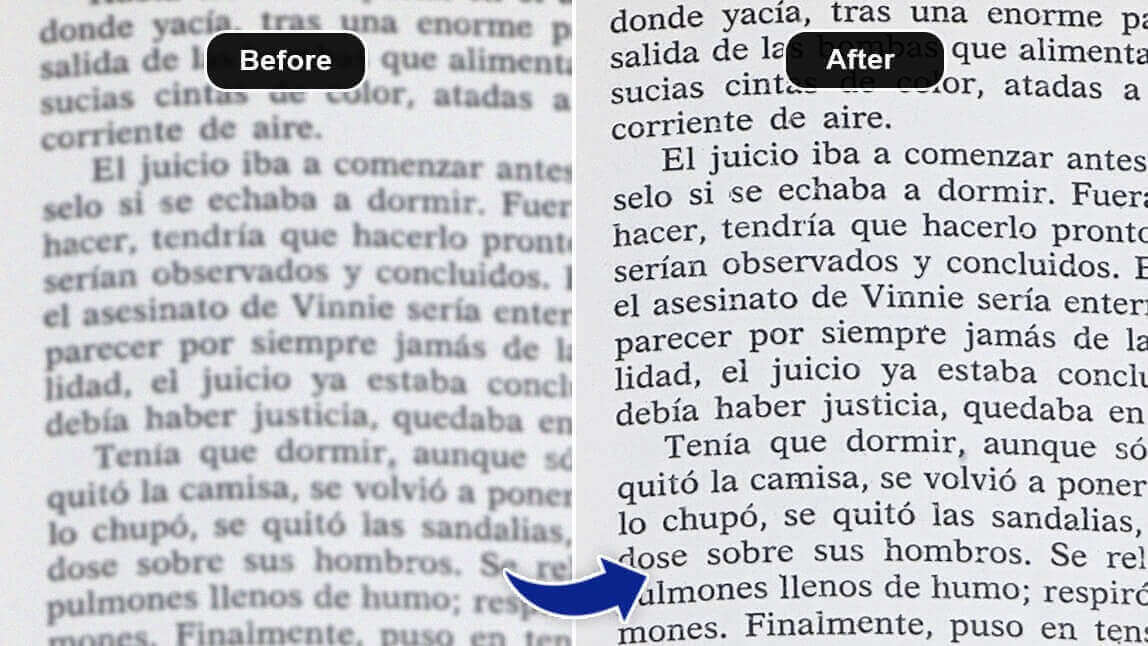
Screenshots, scanned documents, or graphics with small text can be hard to read. Batch enhancement makes all your images crisp and legible at once — perfect for presentations, reports, or archiving important information.
How to Batch Enhance Photos

Upload Your Photos
Select multiple images. YouCam Online Editor supports batch uploads for convenience.


Let AI Do the Work
AI analyzes every photo, sharpening details, correcting colors, and improving clarity while keeping images natural and true to life.

Download Your Enhanced Photos
Preview the batch-enhanced results and download all your HD photos instantly. Ready to share, post, or print.
Batch Enhance Photos FAQs
Can I enhance multiple photos at once?
Yes. YouCam Online Editor’s batch enhancement lets you improve multiple photos in a single process without editing each image individually.
Is it free to batch enhance photos online?
Yes. You can batch enhance photos for free, with optional upgrades for higher-resolution downloads and advanced features.
Will enhancing multiple photos reduce image quality?
No. AI enhancement improves sharpness, color, and clarity while maintaining the original quality of your photos.
Can I use batch enhancement on my phone or tablet?
Yes. YouCam Enhance works directly in your browser, making it easy to enhance multiple photos from any device.

