






Unblur Image Online
Automatically unblur images for free with AI blur remover. Easily fix blurry photos with AI to restore sharp details and improve overall photo quality in one click.





How to Unblur an Image

Upload Your Image
Upload your blurry photo to deblur. You can also batch upload up to 50 images. Supported formats include JPG, JPEG, PNG, TIFF, and GIF.

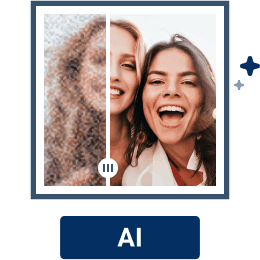
Unblur Image with AI
Wait for the AI to sharpen, denoise, upscale your images.

Download Your Unblurred Image
Preview your unblurred image and once you’re happy, you can download in high-quality.
When Do You Need an Online Image Unblurring Tool?
Remove Blur from Photos Online
Blurry or pixelated photos do not have to be a problem. With YouCam Online Editor, unblurring images is quick and effortless. Simply upload your photo and use the AI image enhancer to automatically remove blur, sharpen details, and improve overall clarity.
Preserve Your Cherished Memories
Want to bring clarity back to old portrait photos? YouCam Online Editor helps you unblur images and restore treasured photos with ease. With smart AI deblur, the tools sharpens details and improves clarity, turning faded or blurry pictures into clean, beautiful results you can keep and share for years to come.
Sharpen Images and Reveal Details
Unblur and enhance photos directly in your browser with YouCam Online Editor. Its photo unblur tool sharpens pixelated, blurry, or out of focus images, restoring clarity and detail in just a few clicks. Turn fuzzy photos into clean, high quality visuals and upgrade your images instantly.
AI Image Unblur FAQs
How can I unblur a picture for free?
You can unblur a picture for free using YouCam Online Editor. Its AI Photo Unblur tool works directly in your browser and helps reduce blur, sharpen details, and improve clarity in just one click. Simply upload your image and let AI enhance it automatically—no editing skills or downloads needed.
Is it possible to unblur a censored photo?
If a photo is intentionally censored with heavy blur or mosaic, it cannot be fully restored to reveal hidden content. However, YouCam Online Editor can help improve overall image clarity and quality in areas that are lightly blurred due to motion, focus issues, or compression—not deliberate censorship.
Is it possible to fully remove blur?
In most cases, blur can be significantly reduced but not completely removed. YouCam Online Editor uses AI to enhance details and sharpen images, delivering noticeable improvements. Results depend on how severe the blur is and the original image quality.
How do I unpixelate an image?
You can unpixelate an image by using YouCam Online Editor’s AI enhancement tools. Upload your photo and apply the Photo Unblur or Image Enhance feature to reduce pixelation, smooth edges, and restore clarity for a cleaner, more natural look.
Can you uncensor an image?
No tool can truly uncensor an image if content has been intentionally hidden or removed. YouCam Online Editor focuses on ethical photo enhancement, helping users fix blurry, pixelated, or low quality images—not recovering private or concealed details.

