





Generate AI Video Creations
Create AI videos that truly stand out with text to video. Prompt your video idea and experience the future of AI video creation with YouCam Online Editor.
How to Generate AI Videos
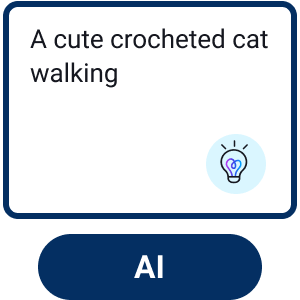
Enter Your Text Prompt
Type your video idea into the prompt box. For more inspiration, choose a sample to get started quickly.

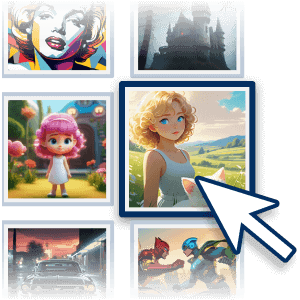
Choose Your AI Model
Choose which AI video creation model you want to use, set the video duration and aspect ratio.
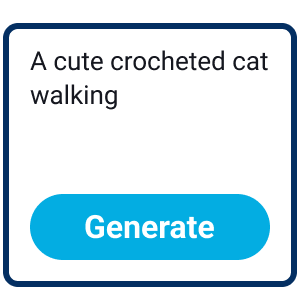
Start AI Video Creation
Click the “Generate” button and watch as AI turns your text prompt into a cinematic video in minutes.

Save Your AI Video
Preview your AI video and download in HD for sharing or commercial use.
Why Do You Need an AI Video Generator?
Tell Your Story Your Way
Create stunning AI videos in seconds with YouCam Online Editor. Simply enter a text prompt and let our AI video generator handle the entire AI video creation process—from ideas to polished visuals. Edit, enhance, and refine your AI video instantly with easy tools designed for social media, marketing, and creative content.

Turn Text into Video with AI
Edit videos effortlessly with text prompts using YouCam Online Editor—no learning curve required. Just type simple instructions like trimming clips, adding an intro, or adjusting the vibe, and the AI video generator handles the edits for you. It’s the easiest way to refine AI videos without complex timelines or skills.

Powered by Advanced AI Video Models
YouCam Online Editor gives you access to multiple cutting-edge AI video models in one place, so you can create exactly the kind of AI video you want—without switching platforms or learning new tools.
- Sora: High-fidelity, cinematic AI video creation
- Veo: Professional-level composition and dynamic camera movement
- Kling: Smooth motion, detailed lighting, and lifelike scenes
- Pixverse: Artistic, stylized, and trend-driven AI videos
- Vidu: Natural facial expressions and realistic human motion
- Seedance: Expressive, rhythmic, and visually engaging video generation

AI Video Generator FAQs
What is an AI video generator?
An AI video generator is a tool that uses artificial intelligence to automatically create videos from text prompts, images, or existing clips. Instead of manual editing, AI handles scene creation, motion, transitions, and sometimes audio, making video creation faster and more accessible for everyone.
What is the best AI video generator?
The best AI video generator depends on your goals, but platforms that support multiple AI models offer the most flexibility. Tools like YouCam Online Editor stand out because they combine powerful AI video creation with multiple top models in one place, allowing users to generate, edit, and refine videos without a steep learning curve.
What are the benefits of using an AI video generator?
AI video generators save time, reduce production costs, and remove the need for advanced editing skills. They make it easy to create high-quality videos for social media, marketing, or personal projects, while offering creative freedom through styles, animations, and instant edits.
What are the different types of AI video generators?
There are several types of AI video generators, including text-to-video, image-to-video, AI animation generators, and style transfer video tools. Some advanced platforms also support multiple AI models, allowing creators to switch between cinematic, realistic, or artistic video styles within a single editor.

